Your Notion CRM, inside Gmail.
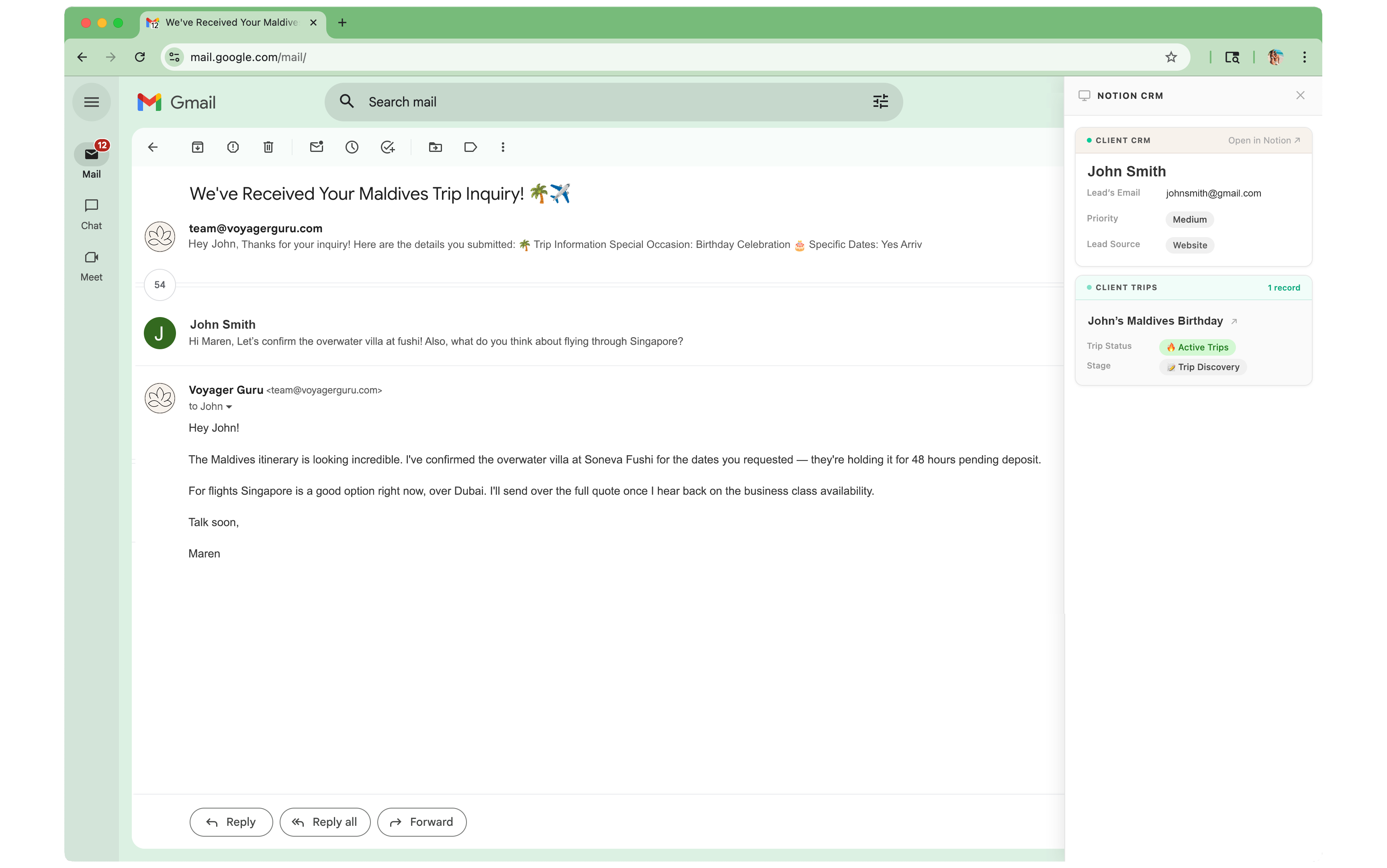
Paste your Notion API key and pick the database you use as a CRM. Any database works.
Pick which properties to surface — name, status, lead source, related records, whatever matters to you.
The sidebar appears automatically when Gmail detects a matching contact. Your data, in context, instantly.
Open an email, see the contact. No tab-switching, no searching — it just appears.
Matches sender email to your Notion database in real time. No clicks, no searching.
See linked database entries — trips, deals, projects — right below the contact card.
Choose which fields to display. Works with any Notion database schema, no changes required.
One click takes you directly to the full record. Deep link, no hunting.
Your Notion token and data never leave your browser. No third-party servers see your CRM.
Does one thing, does it well. No dashboards, no onboarding flows, no upsells inside the tool.
No charge for 7 days. Cancel anytime.
 Official Chrome Web Store extension
Yes. As long as your database has an email property, the sidebar can match contacts from Gmail. You pick which database and which fields to display during setup.
Your Notion API token is stored locally in your browser using Chrome's secure storage. It never passes through our servers — lookups happen directly from your browser to Notion's API.
No. The setup wizard walks you through connecting your Notion workspace and picking your fields. It takes about 5 minutes and requires no coding.
The sidebar stays out of your way. It only appears when it finds a matching record — no noise for unrecognized senders.
Yes — no lock-ins, no cancellation fees. Just email us at hello@purplecactus.io and we'll take care of it same day.